Project Tracker
A downloadable tool for Windows
Project Tracker
Project Tracker is a lightweight Windows application designed to help developers and professionals monitor multiple projects from a single dashboard.
Quickly find TODOs, BUGs, notes, reminders, and custom tags across multiple projects and repositories.
Add project folders, create your own tags, scan source files, track deadlines, and identify important items that require attention without manually opening dozens of files.
Features
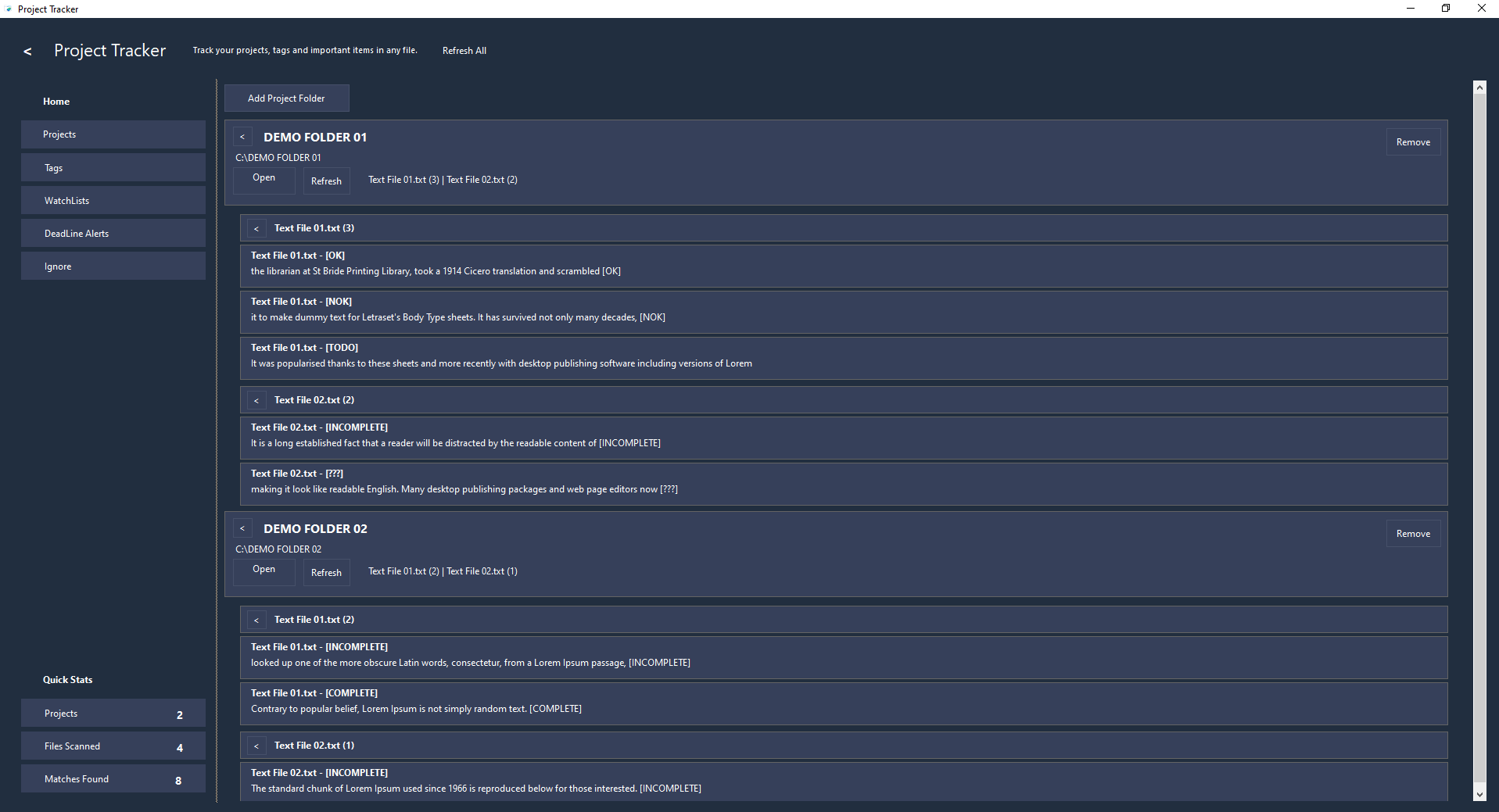
Project Management
- Add and manage multiple project folders
- Open project folders directly from the application
- Refresh all projects at once or scan individual projects
- View project statistics including:
- Total projects
- Total files scanned
- Total matches found
- Last scan date
Custom Tag System
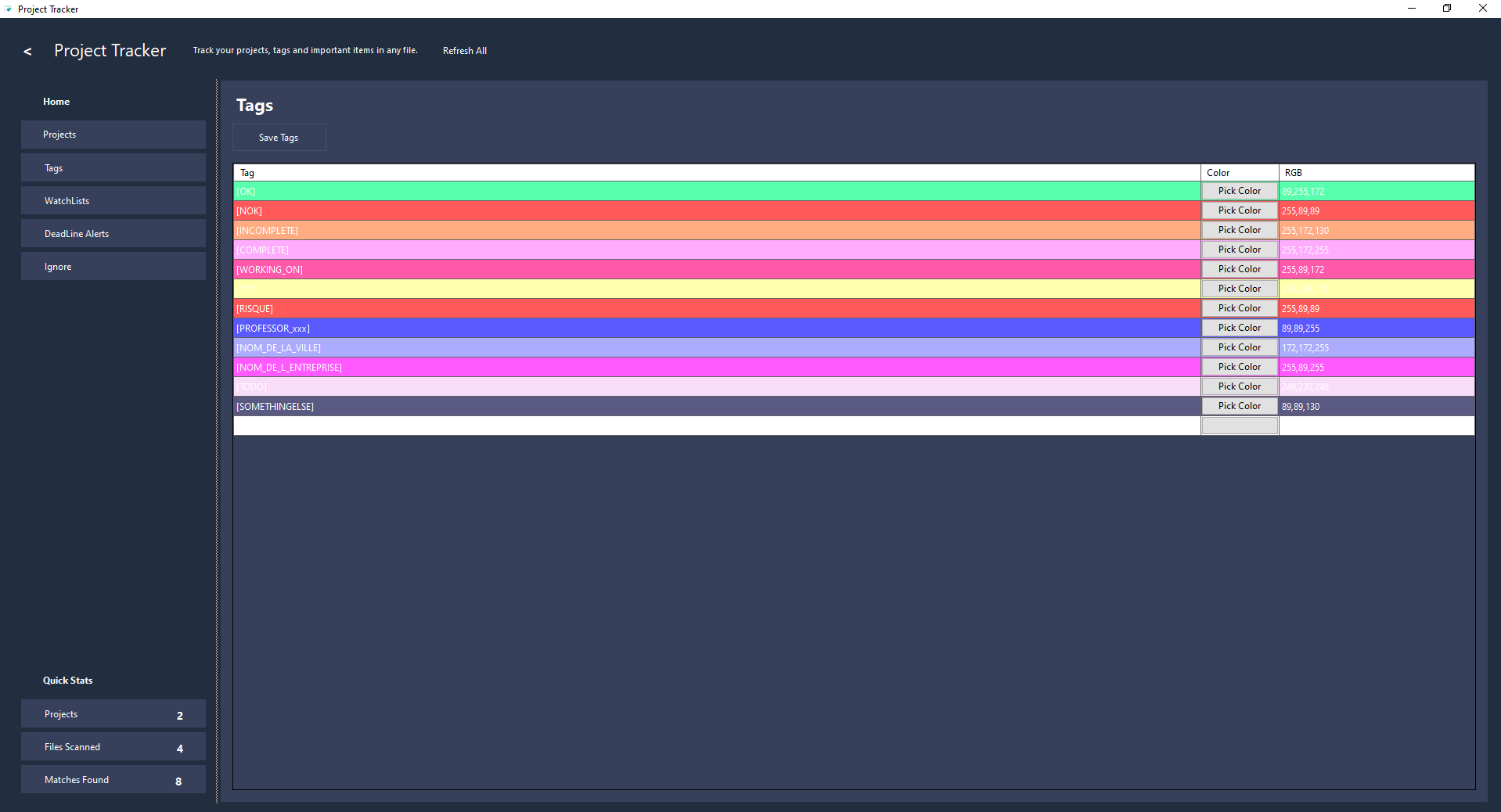
Create unlimited custom tags to match your workflow.
Examples:
- TODO
- BUG
- FIXME
- NOTE
- SECURITY
- DONE
- REVIEW
- Any custom marker you choose
Features:
- Custom colors per tag
- Color-coded results
- Editable tag list
- Local JSON storage
File Scanning
Scan project folders and detect tags inside source code and text-based files.
Supported scenarios:
- Source code
- Documentation
- Markdown files
- Configuration files
- Notes and planning files
Features:
- Detect tags anywhere inside a file
- Display matching lines
- Show contextual snippets
- Group results by project and file
- Detect multiple tags inside the same file
Match Explorer
Browse scan results in an organized structure.
Features:
- Results grouped by project
- Results grouped by file
- Expand or collapse projects
- Expand or collapse file sections
- Open matching files directly from the application
Displayed information:
- Tag name
- File name
- Matching line
- Project location
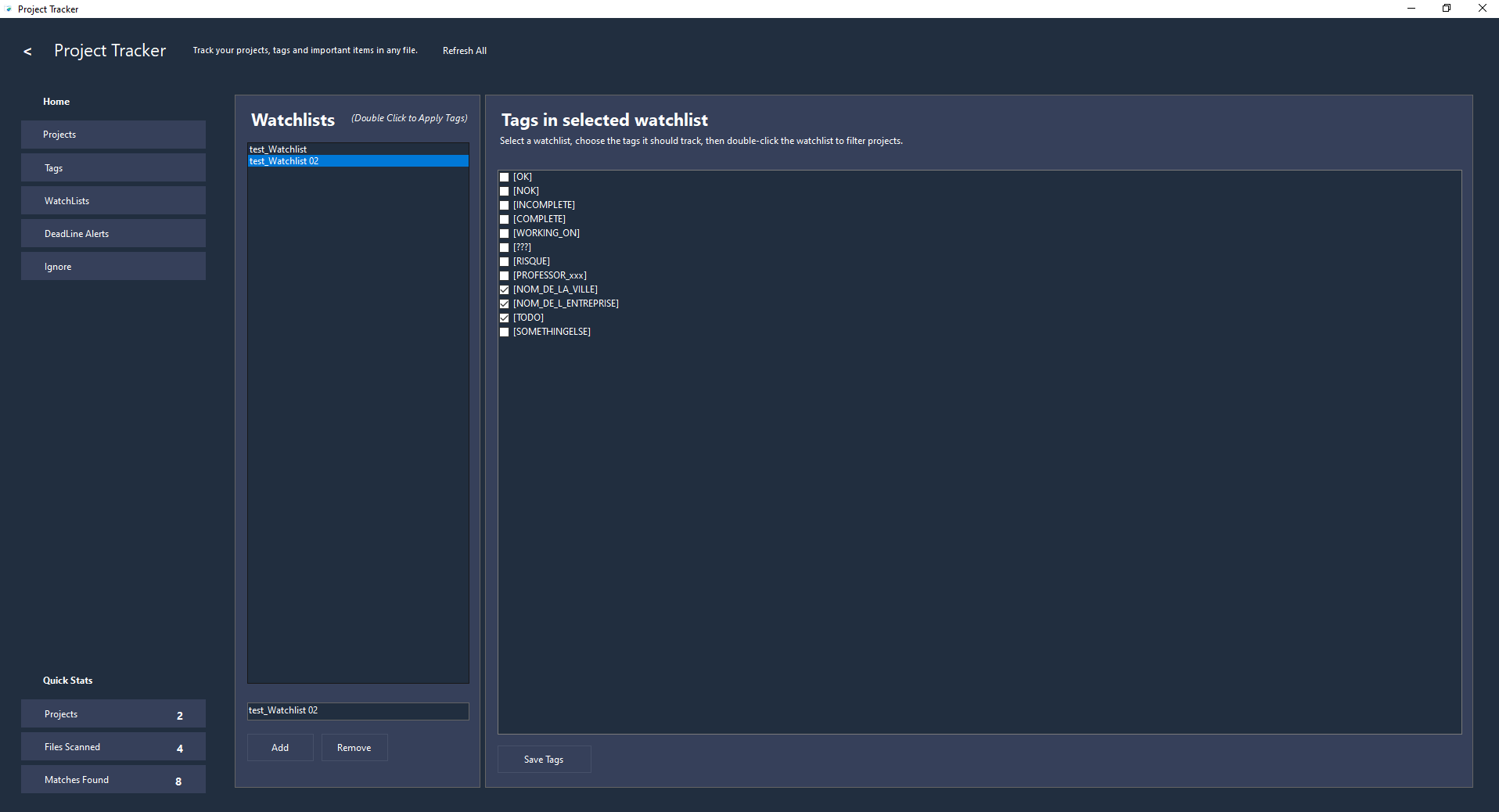
Watchlists
Create reusable watchlists based on existing tags.
Features:
- Create multiple watchlists
- Associate multiple tags with a watchlist
- Filter projects using watchlists
- Focus only on the tags that matter for a specific task or workflow
Examples:
Bug Tracking Watchlist:
- BUG
- FIXME
- SECURITY
Release Watchlist:
- TODO
- REVIEW
- DONE
Documentation Watchlist:
- NOTE
- DOC
- REVIEW
Deadline Tracking
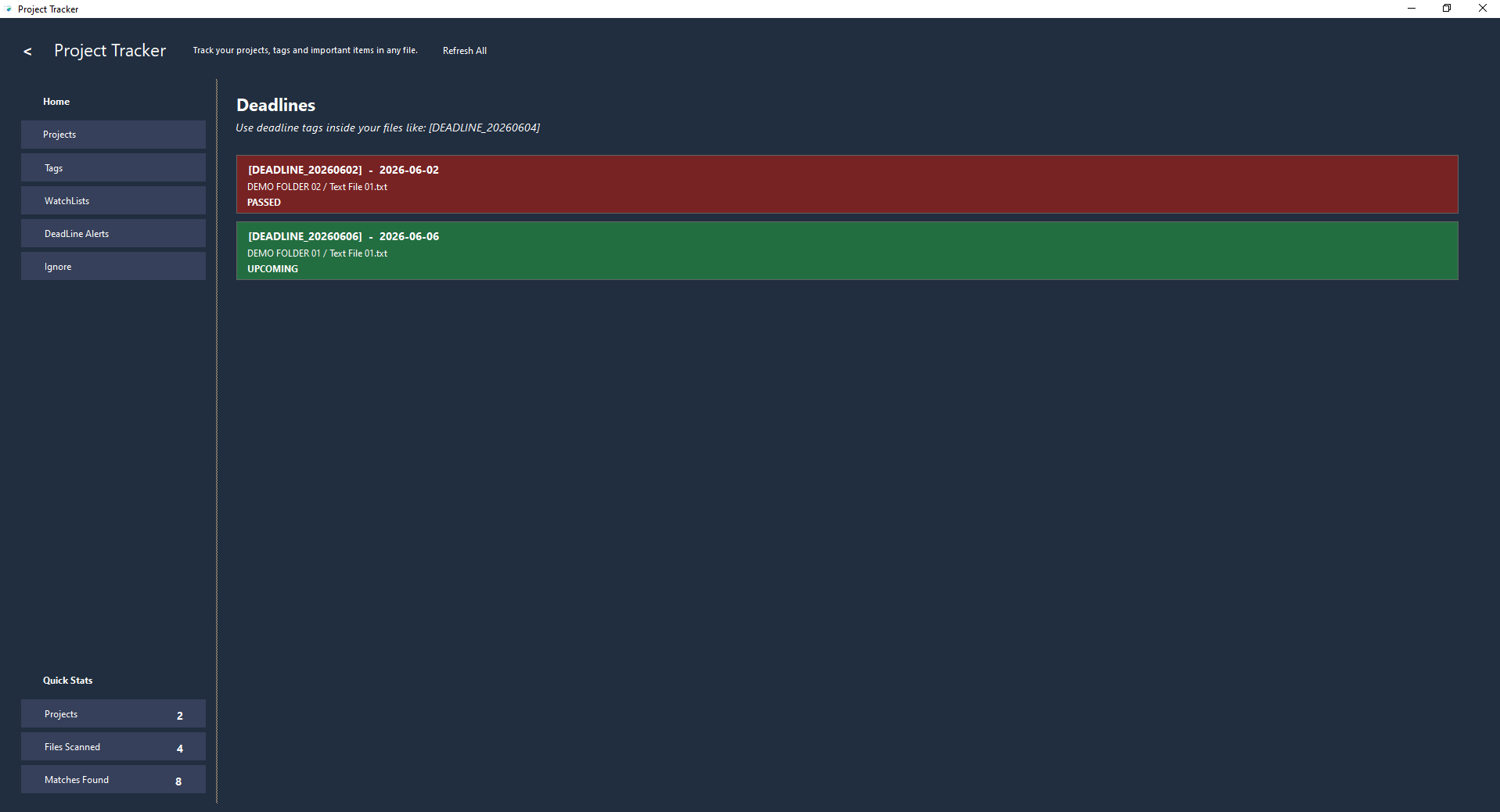
Track upcoming and overdue deadlines directly inside your project files.
Use deadline tags such as:
[DEADLINE_20260604]
Features:
- Automatically detect deadline tags
- Sort deadlines by date
- Display upcoming deadlines
- Highlight overdue deadlines
- Open associated files directly from the deadline list
This allows developers and project managers to embed lightweight deadlines directly inside source code, notes, or documentation.
Extension Management
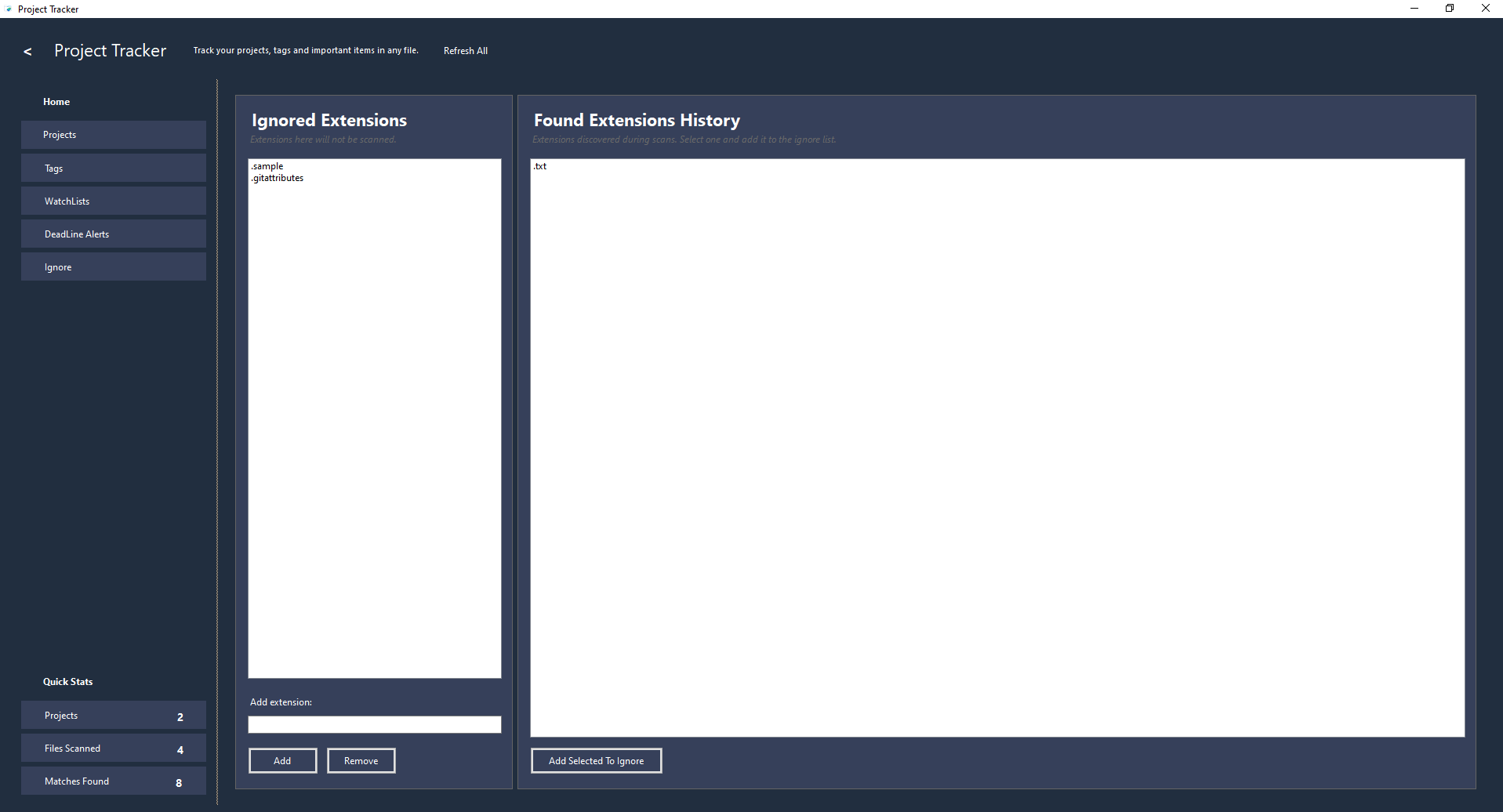
Control which file types are scanned.
Features:
- Ignore specific file extensions
- View discovered extensions found during scans
- Quickly add extensions to the ignore list
- Reduce scan noise and improve performance
Local Storage
No database required.
All data is stored locally using JSON files.
Stored information:
- Projects
- Tags
- Watchlists
- Ignored extensions
- Application settings
Benefits:
- Portable
- Easy backup
- No account required
- No internet connection required
Who It Is For
Project Tracker is useful for:
- Software Developers
- Freelancers
- Students
- Technical Writers
- System Administrators
- DevOps Engineers
- Project Managers
- Small Development Teams
- Anyone who organizes work using tags inside files
It is especially useful when working across multiple projects and needing a centralized view of tasks, bugs, notes, reminders, and deadlines.
Privacy
Project Tracker works entirely on your computer.
- No cloud account required
- No telemetry
- No external services
- No data collection
All information remains under your control.
Platform
Windows Desktop Application
Built with .NET and designed to be fast, lightweight, and easy to use.
Example Workflow
- Add one or more project folders
- Create custom tags such as:
- TODO
- BUG
- NOTE
- REVIEW
- Assign colors to tags
- Scan projects
- Review matches grouped by project and file
- Filter results using watchlists
- Track deadlines using tags such as:
[DEADLINE_20260604]
- Open files and resolve issues
- Refresh projects whenever needed
Project Tracker helps transform scattered tags, notes, and reminders into a centralized project tracking dashboard.
Purchase
In order to download this tool you must purchase it at or above the minimum price of 4.99€ EUR. You will get access to the following files:
Leave a comment
Log in with itch.io to leave a comment.